Getting Started with Dackel
Dackel for macOSWhat Dackel is
Dackel is a focus timer for macOS that lives in your menu bar. A pixel dachshund fills up, tail to nose, as your time runs down. When he is full, the session is over.
There is no window and no Dock icon. Everything happens from the dog in the menu bar.
Start a session
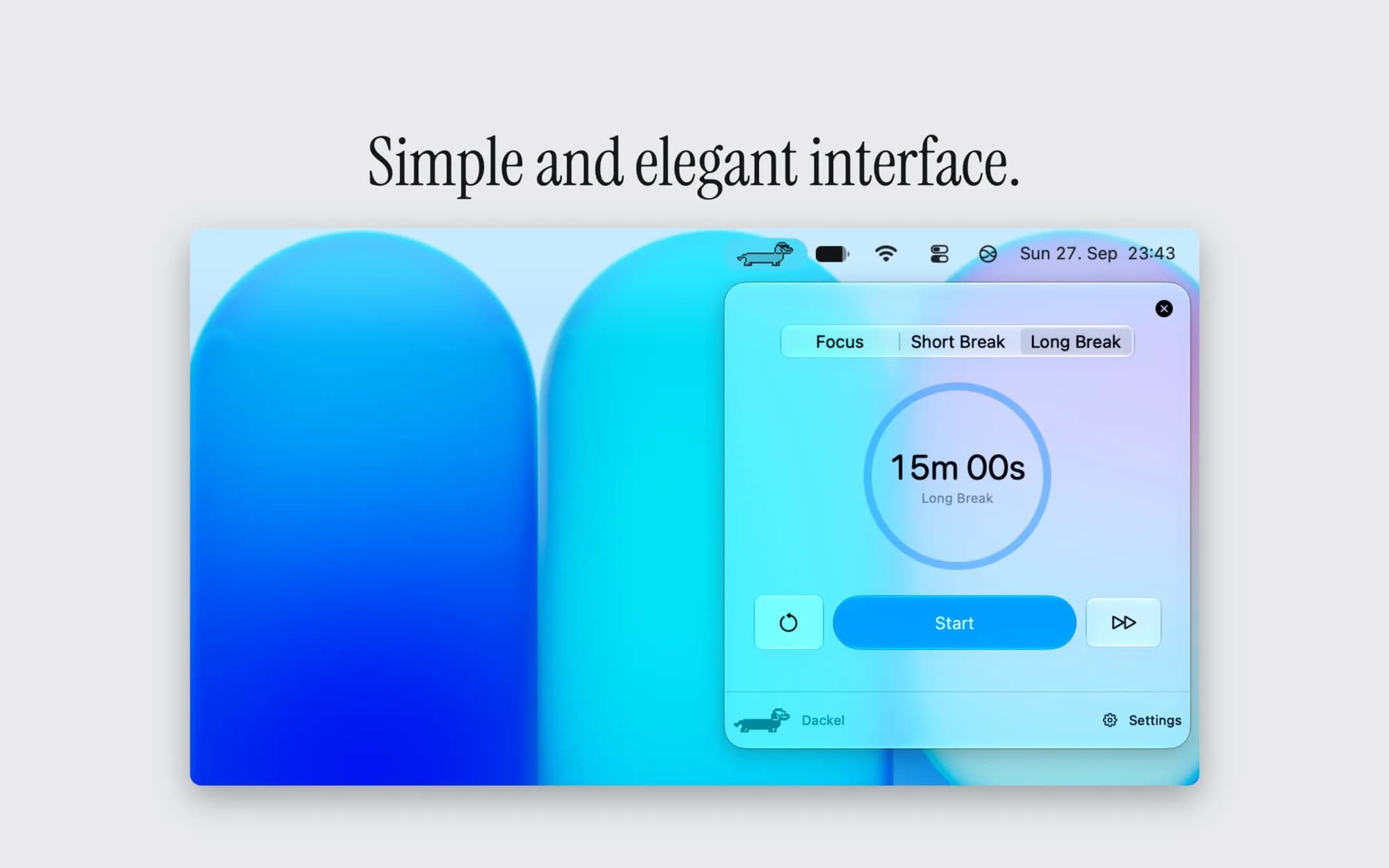
Click the dachshund in the menu bar to open the timer. Choose Focus, Short Break or Long Break at the top, then press Start.
- The circular arrow on the left resets the current timer
- The double arrow on the right skips to the next session
- Settings opens from the bottom right corner
Make it yours
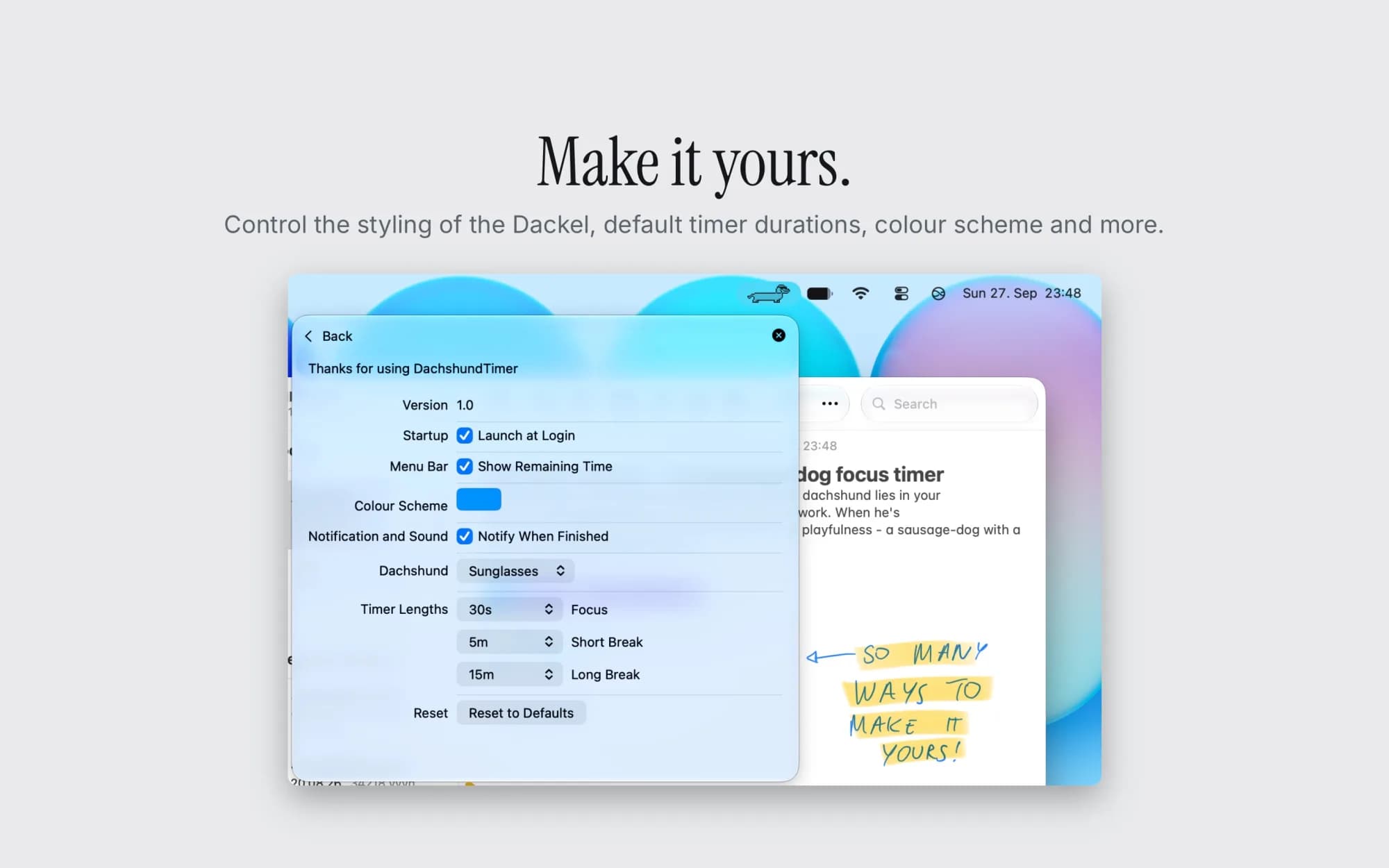
In Settings you can change:
- Launch at Login: start Dackel automatically when you log in
- Show Remaining Time: show the countdown next to the dog in the menu bar
- Colour Scheme: the accent colour of the app's interface, such as the Start button and the timer ring.
- Notify When Finished: get a notification and sound when a session ends
- Dachshund: plain, party hat or sunglasses
- Timer Lengths: separate durations for Focus, Short Break and Long Break
Reset to Defaults restores all settings to how they were after installation.
Sleep and closing the lid
The timer only runs while your Mac is awake. If you close the lid or your Mac goes to sleep, the timer does not continue, so time with the lid closed does not count toward your session.
Troubleshooting
- I can't see the dog in the menu bar: on MacBooks with a notch, menu bar items can be hidden behind it when the bar is full. Quit a few other menu bar apps or remove items in System Settings > Control Center to make room.
- I don't get a notification: make sure Notify When Finished is turned on in Dackel's settings, and that notifications for Dackel are allowed in System Settings > Notifications.
- Dackel doesn't start after login: turn on Launch at Login in Dackel's settings and check that Dackel is allowed in System Settings > General > Login Items.
Privacy
Dackel has no account, no sync and no analytics. It does not use the network at all, so nothing leaves your Mac.
Purchases and refunds
Dackel is a one-time purchase on the Mac App Store. There is no subscription. Purchases are handled by Apple, so refund requests go through https://reportaproblem.apple.com
Still need help?
Message us via support@nuskrift.com.