Add EPREL Information to a Product
Getting StartedPrerequisites
- You have installed the app and subscribed to a plan
- You have added the app block to your theme
Step 1: Navigate to your product
In the Shopify admin, open your product and scroll down to find the blocks section.
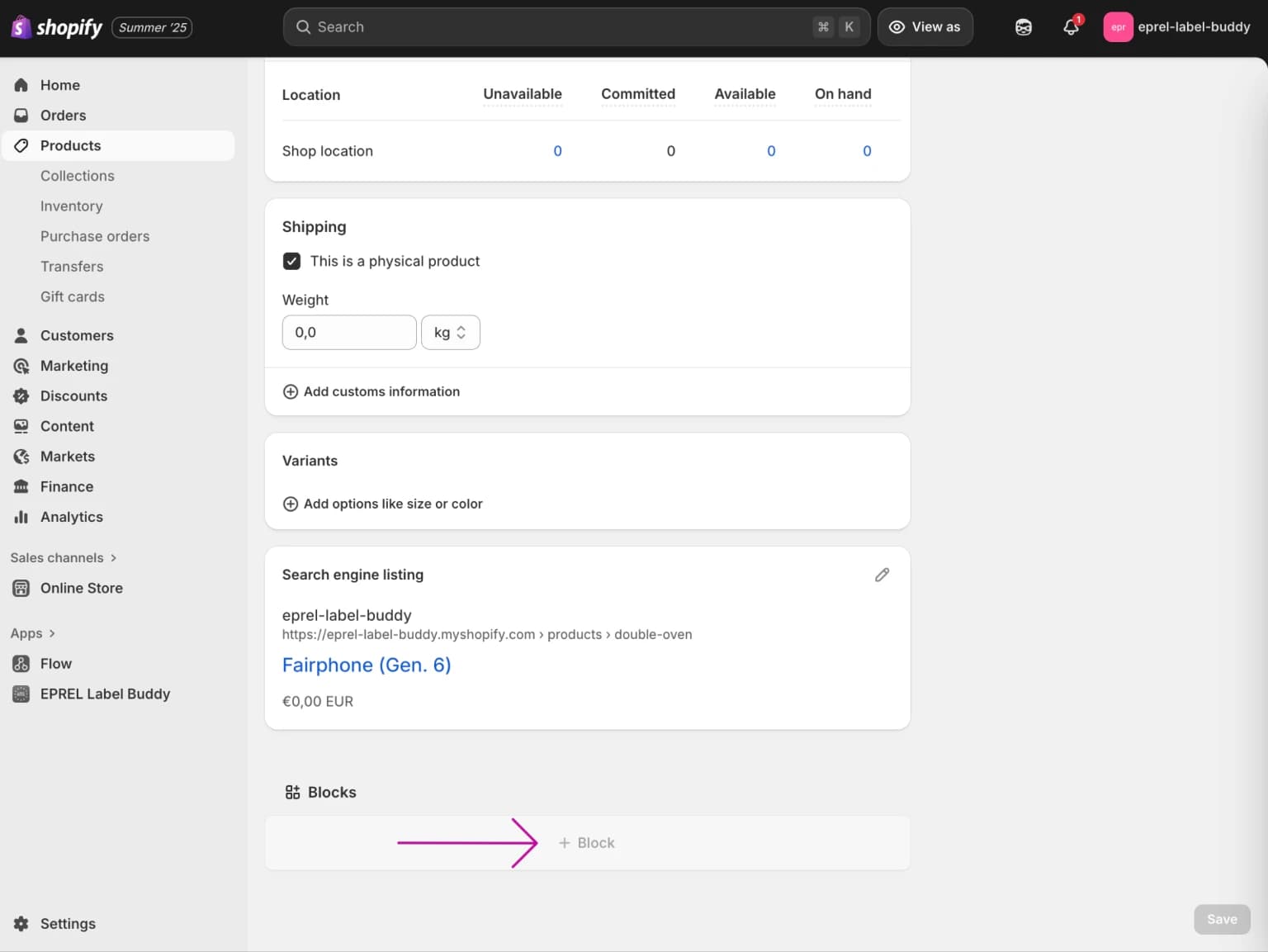
Step 2: Add the EPREL Details block
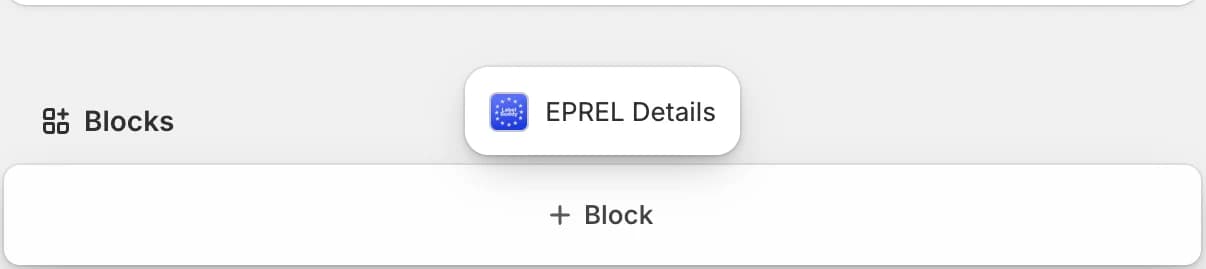
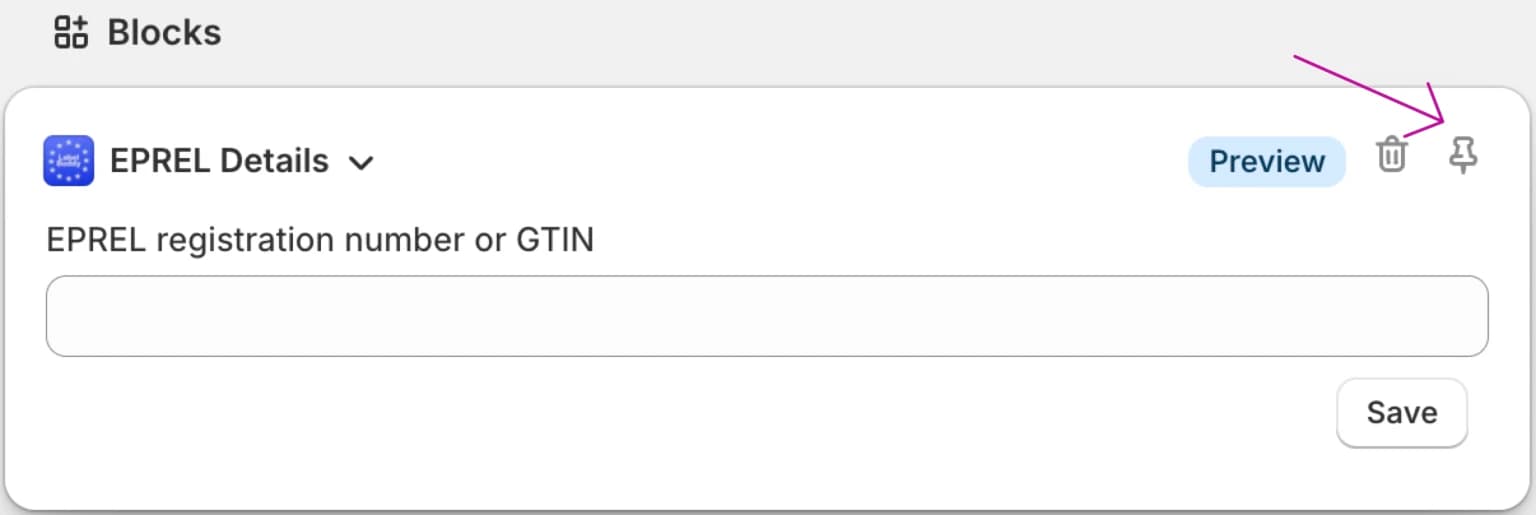
Click "+ Block" in the blocks section and select "EPREL Details" from the available options. Optionally, pin the block to your product page so it appears on all products.
Step 3: Enter product information
Enter either an EPREL registration number from the EPREL product registry, or a GTIN (EAN) code.
Note: manufacturers are not obliged to provide a GTIN with their product in the EPREL product registry. Hence, this GTIN information is not available for every product. Searching by EPREL registration number is recommended as the primary method.
Step 4: Verify the data
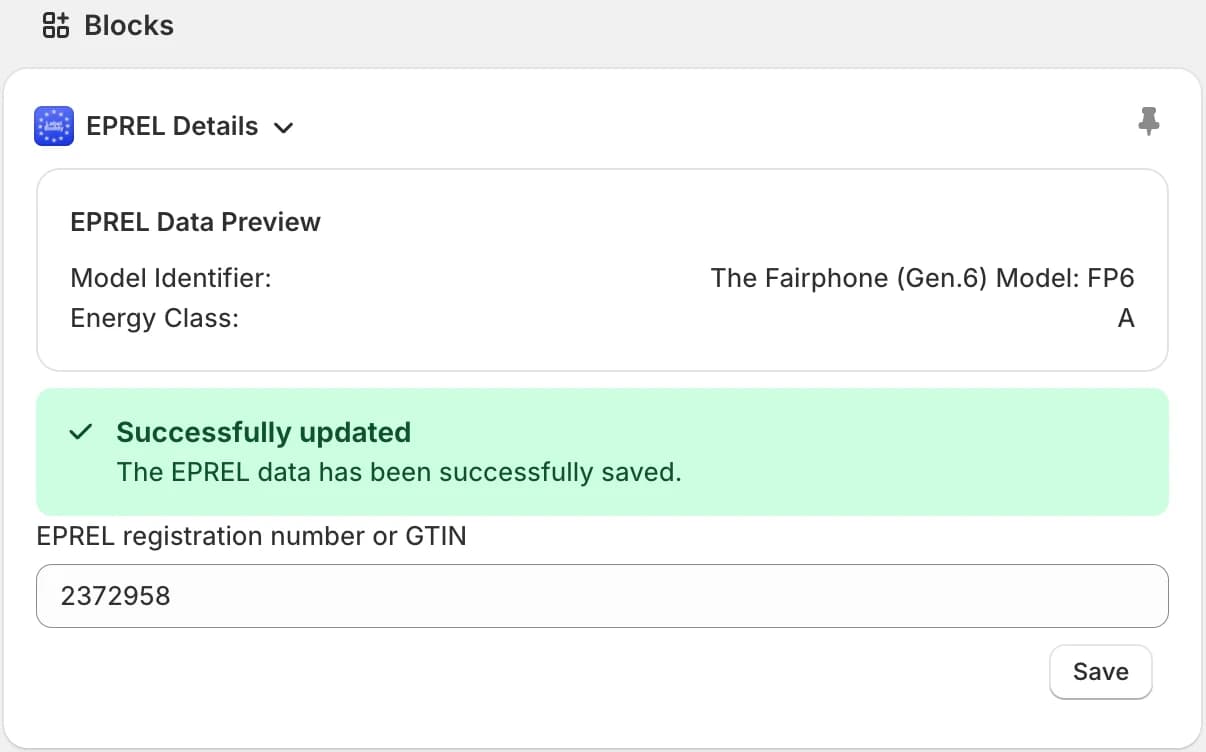
The search and import process may take a moment. After a successful lookup, a preview of the imported energy data will be displayed.
Important
Without a valid subscription and completed onboarding, EPREL details will not appear on your storefront even after configuration.