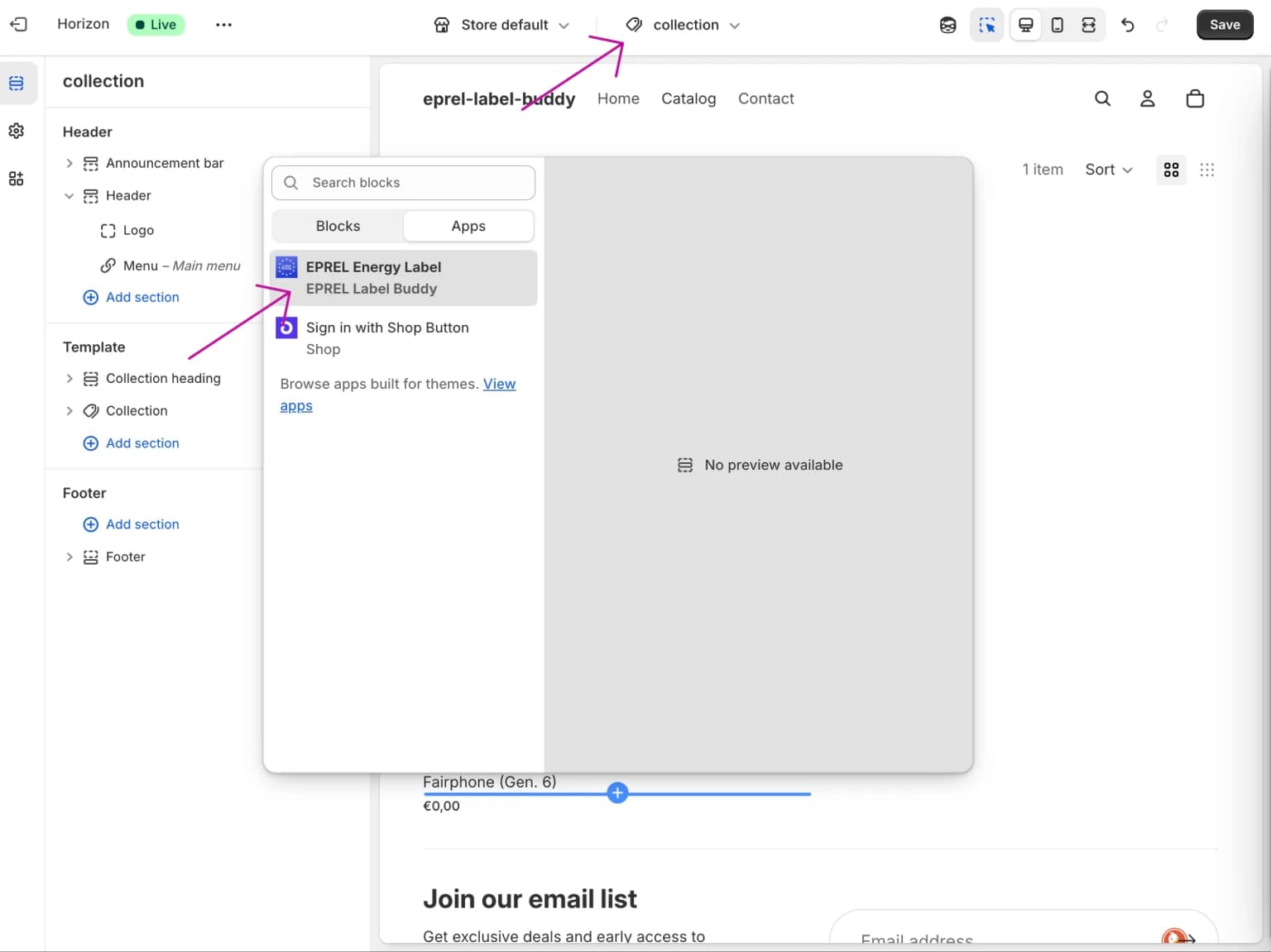
Add Our App Block to Your Theme
Getting StartedPrerequisites
- You have installed the app and subscribed to a plan
- Your theme supports app blocks (Online Store 2.0+), e.g. Horizon
Step 1: Open the theme editor
If you are in Step 2 of the onboarding process, select "Go to Theme Editor". Otherwise, open your theme editor from the Shopify admin console and navigate to a product page.
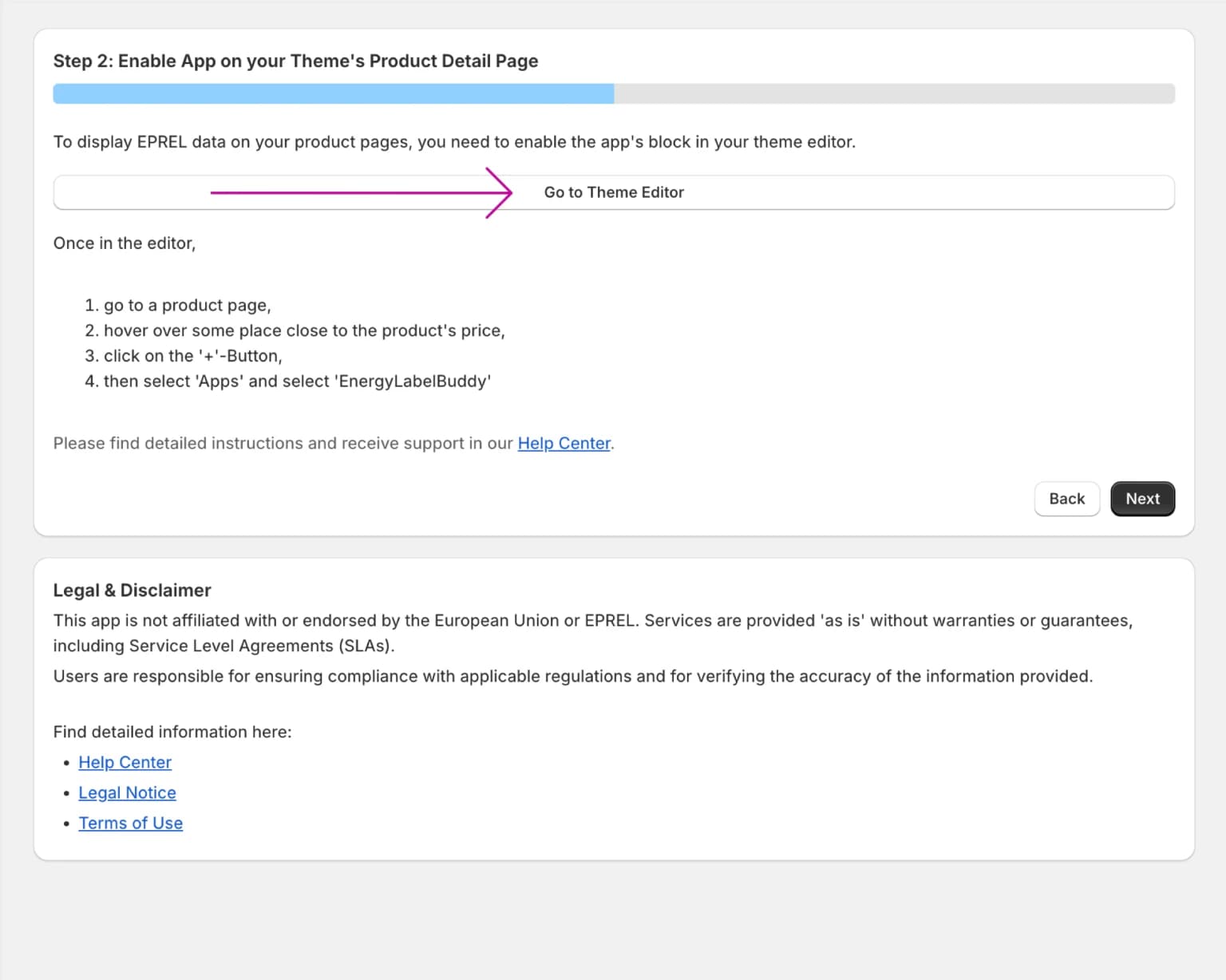
Step 2: Locate the product price area
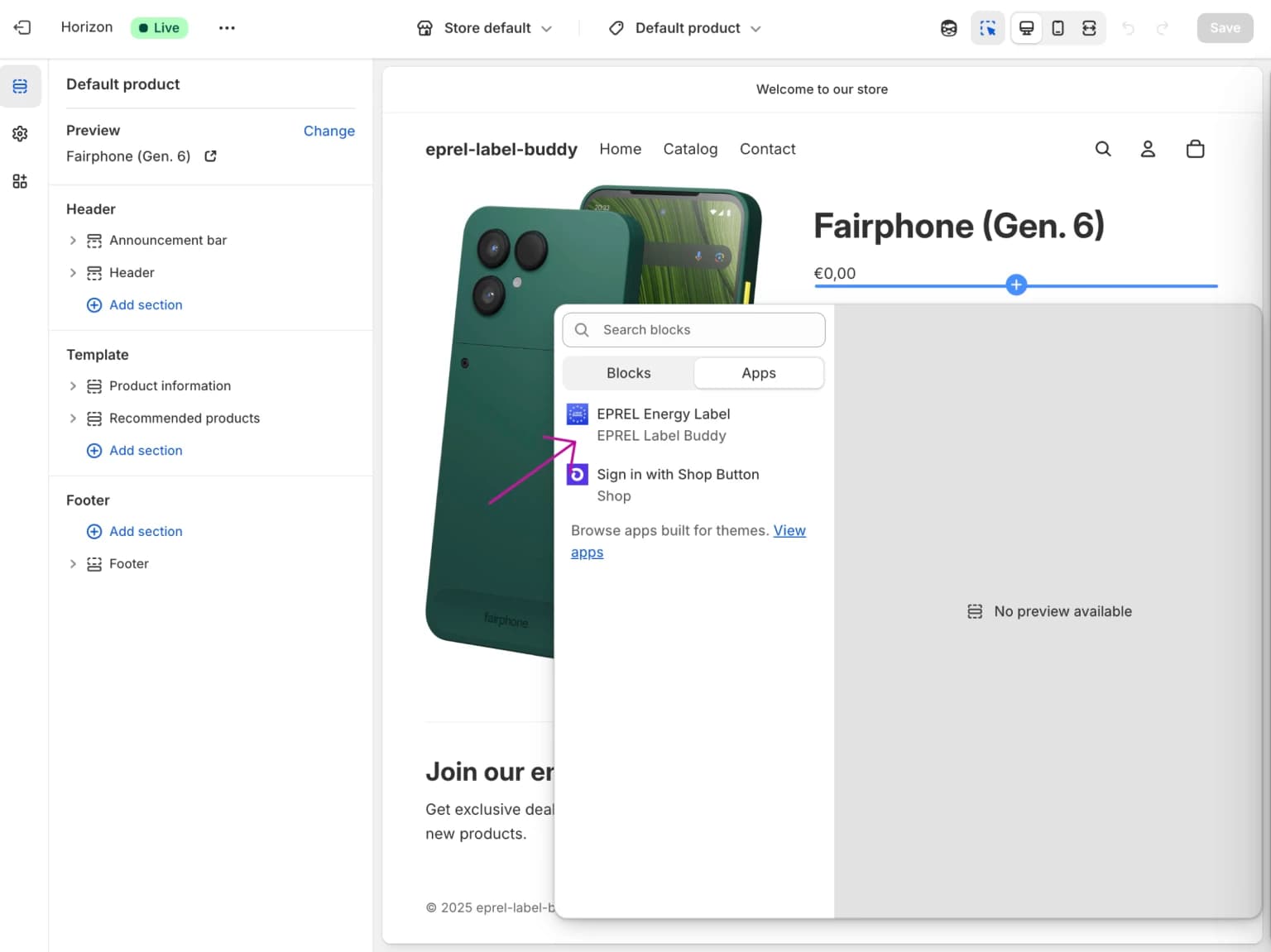
You will be redirected to the product detail page of your currently published theme. As per EPREL guidelines, hover over the area next to the price of the product.
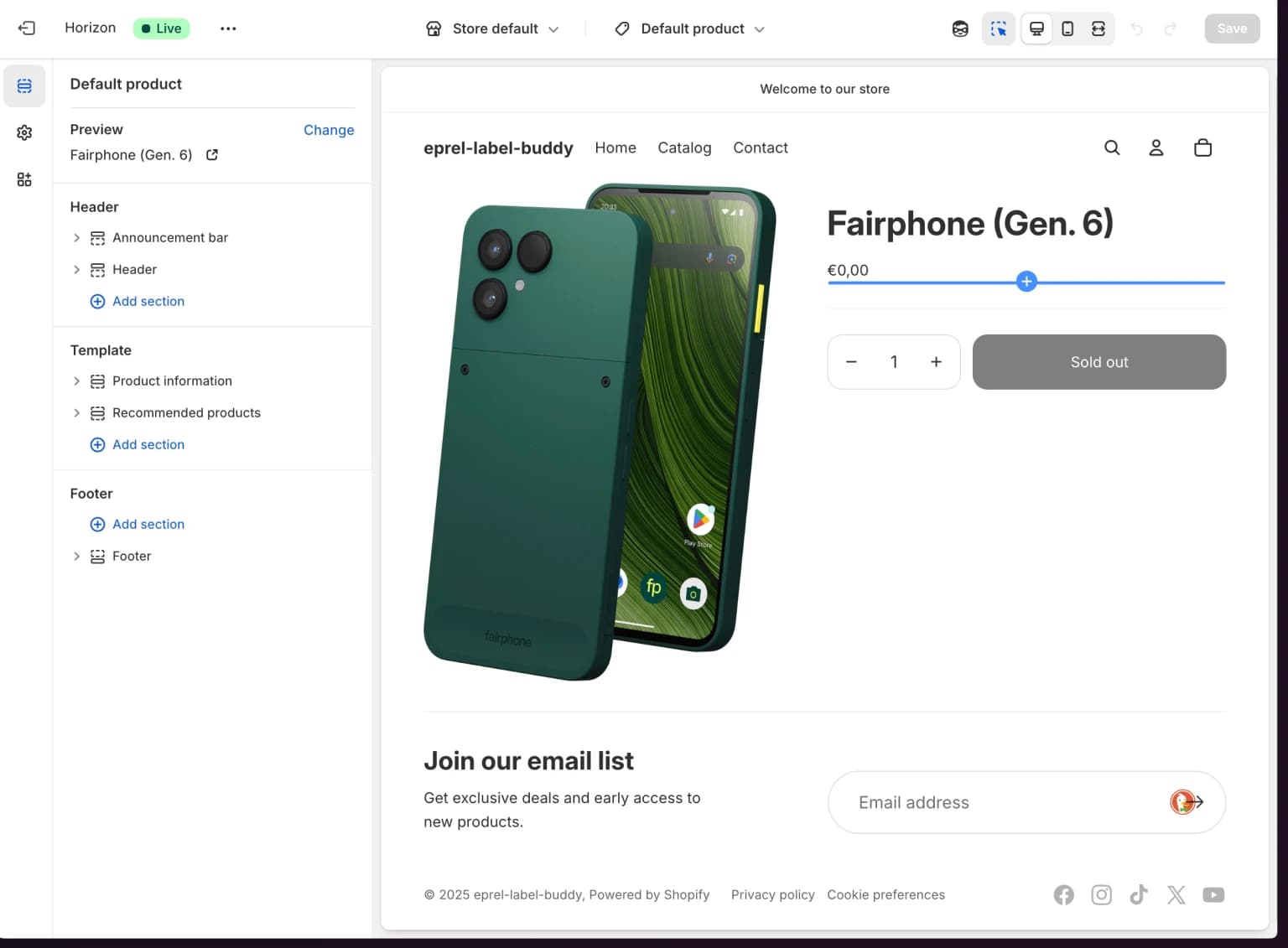
Step 3: Add the block
A blue indicator with a "+" sign will appear. Click on it, then select "Apps" from the menu.
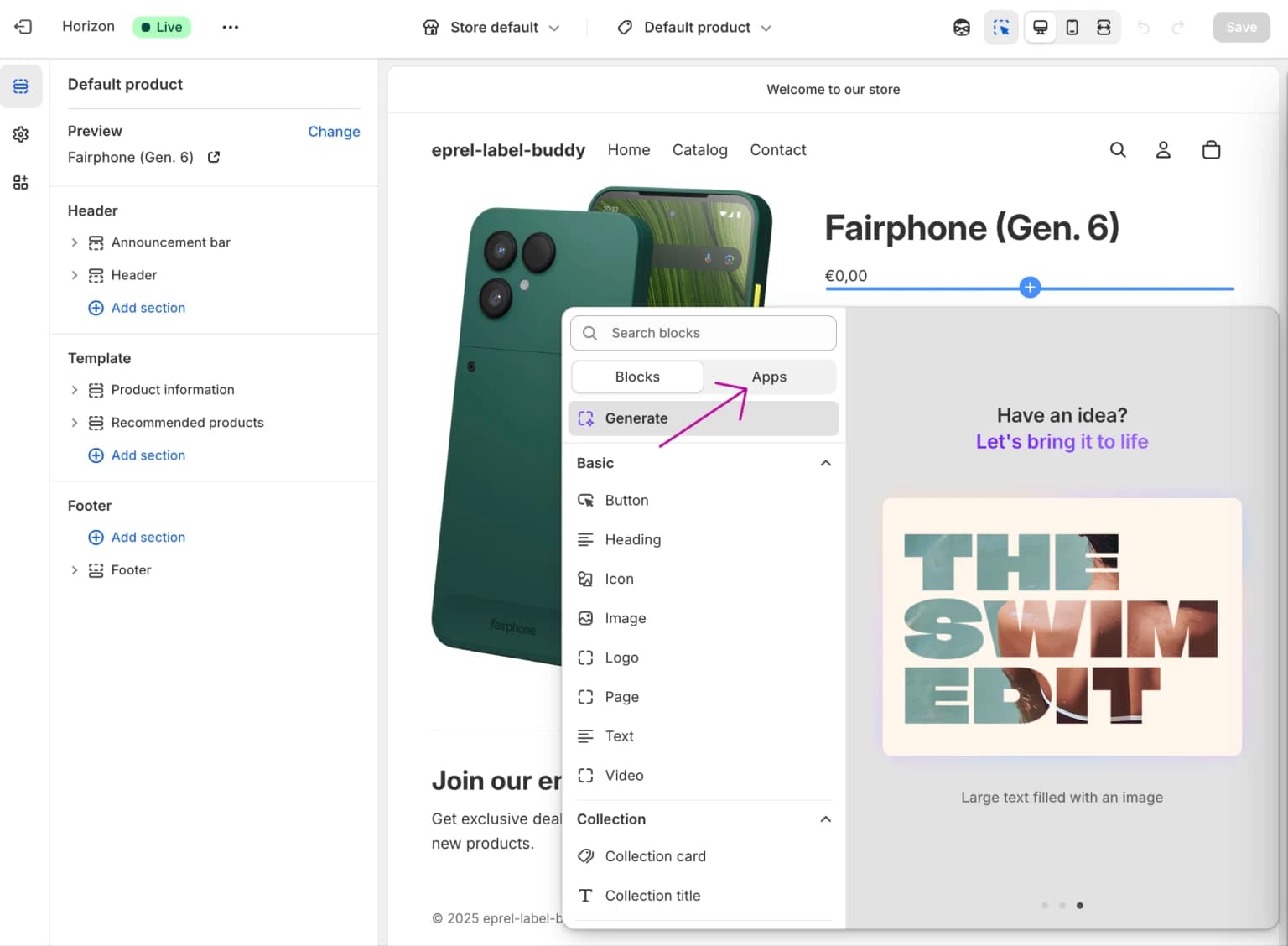
Step 4: Select EPREL Label Buddy
Select EPREL Label Buddy from the available apps.
Step 5: Verify the display
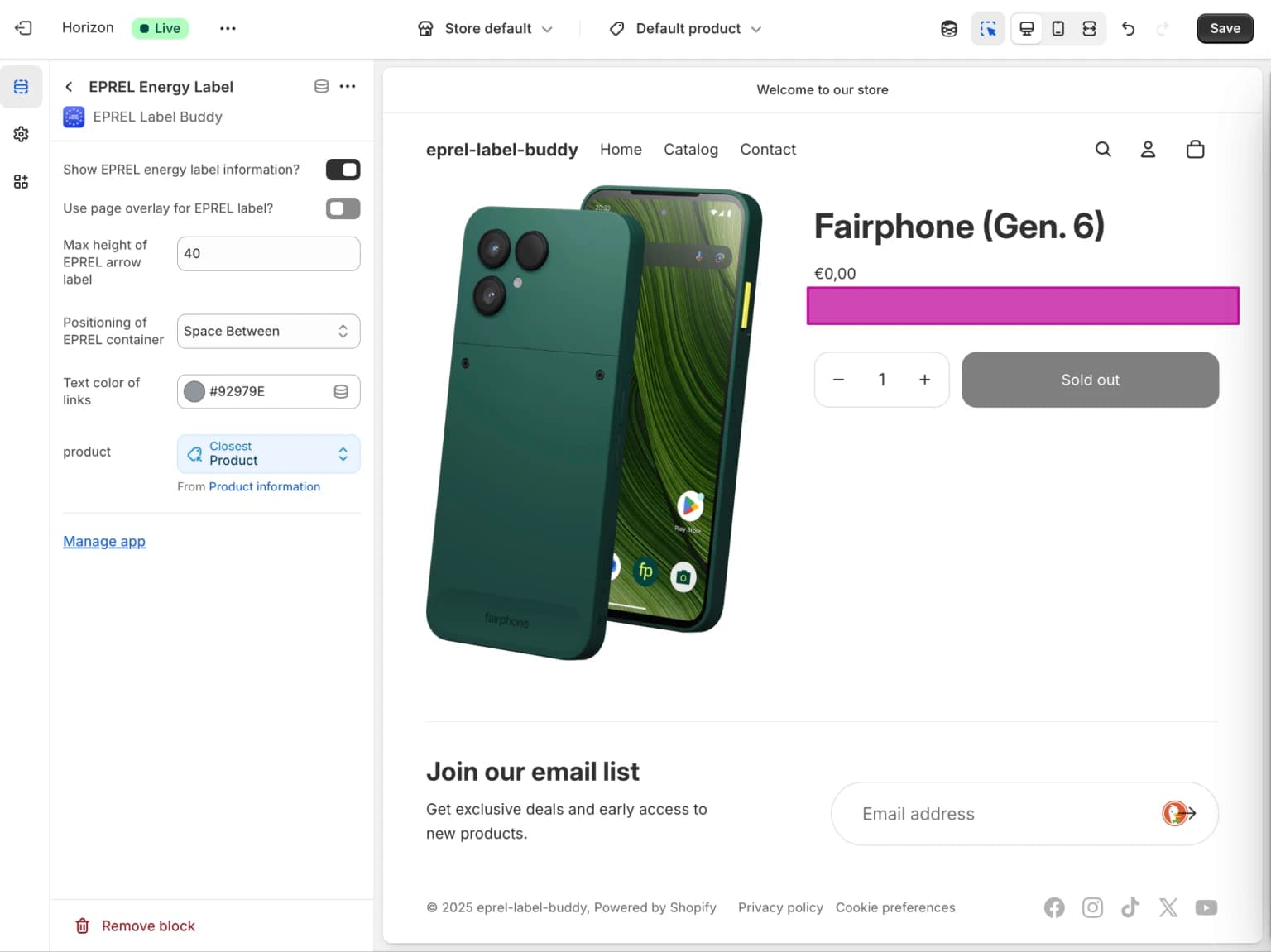
Once you add EPREL registration numbers to your products, the app will display the EPREL product arrow and a link to the product information sheet in the area you selected.
Step 6: Add to additional pages
In supported themes, you can add the app block to additional pages as needed. For example, using Shopify's Horizon theme you can also add the block on collection pages.
Check the EPREL guidelines and regulation for more information on where you need to display energy label information in your online store.